
Tools I've released
FeedHacker
A Chrome extension that hides AI-written and other junk posts in my LinkedIn feed.
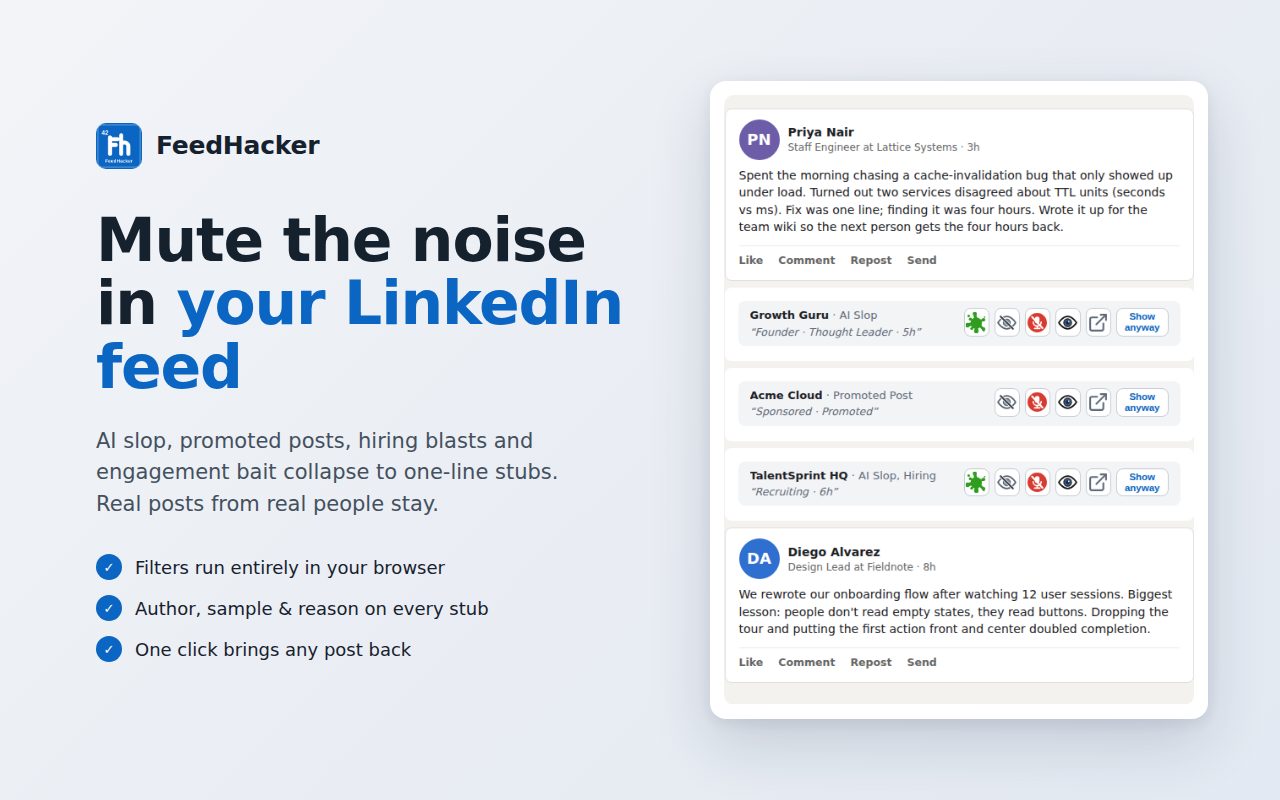
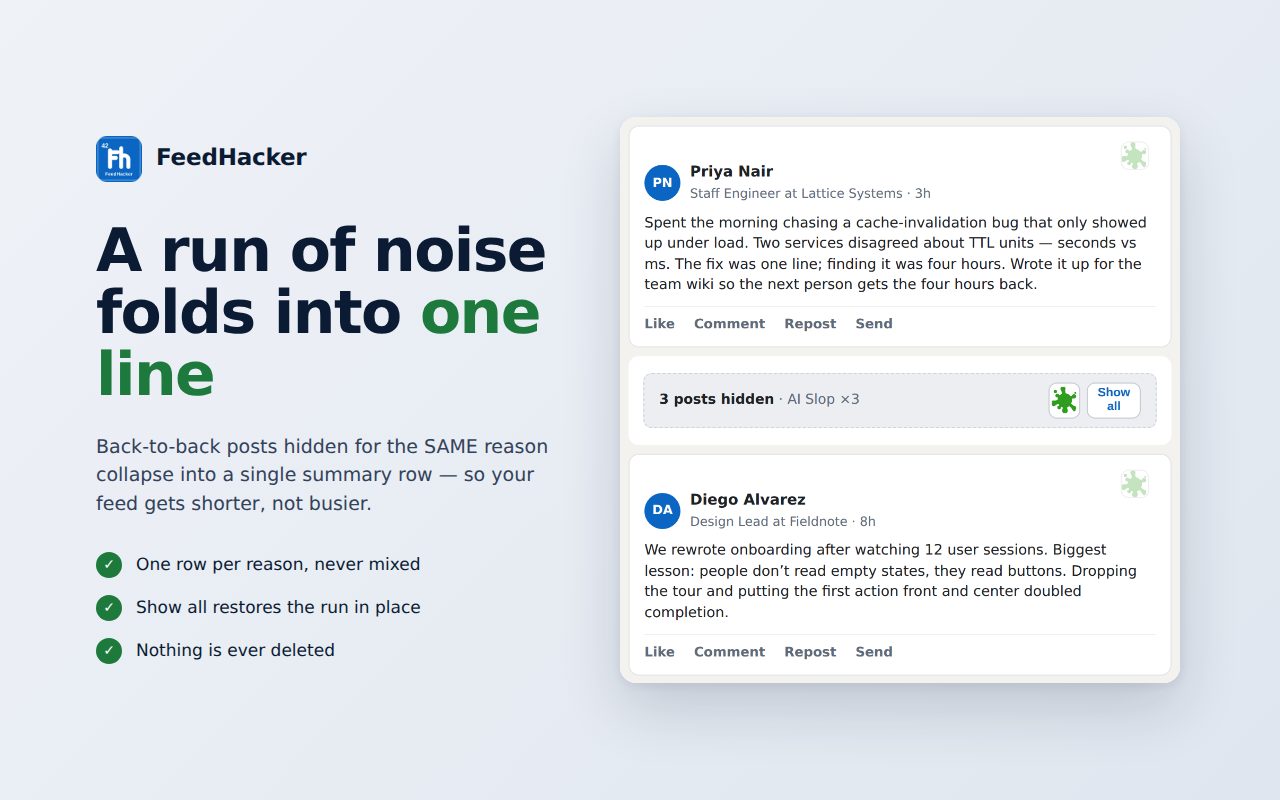
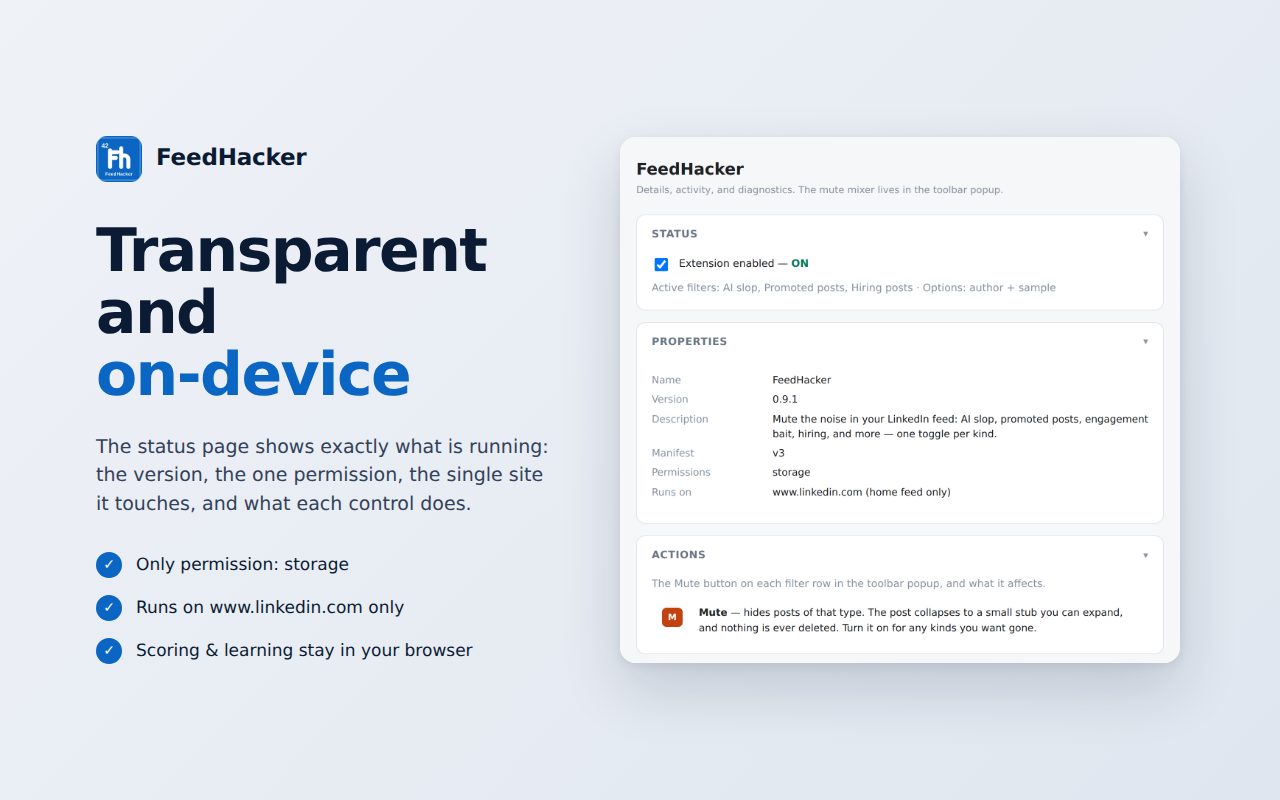
The feed pictures below show the extension running on a made-up test feed, so no LinkedIn member's post appears. The extension screens themselves are the actual product.
The problem
My LinkedIn feed kept filling up with posts and comments that read like a machine wrote them, because one did. Promoted posts, hiring blasts and engagement bait crowded in around them. LinkedIn decides what the feed shows, and it doesn't want its page changed.
I got tired of scrolling past it. A plain word filter would hide a good post over a single phrase. And the posts I did want, from people in other companies and countries working on the same problems I am, were easy to miss in all of it.
What I built
FeedHacker is a Chrome extension I started and now build with Jason Newell of MAX Research Collective. I built the first version and do most of the project management: the roadmap, the design docs and the product calls. Jason did a strong engineering pass, rebuilding it on a sturdier base with tests and automatic checks, and he publishes it on the Chrome Web Store.
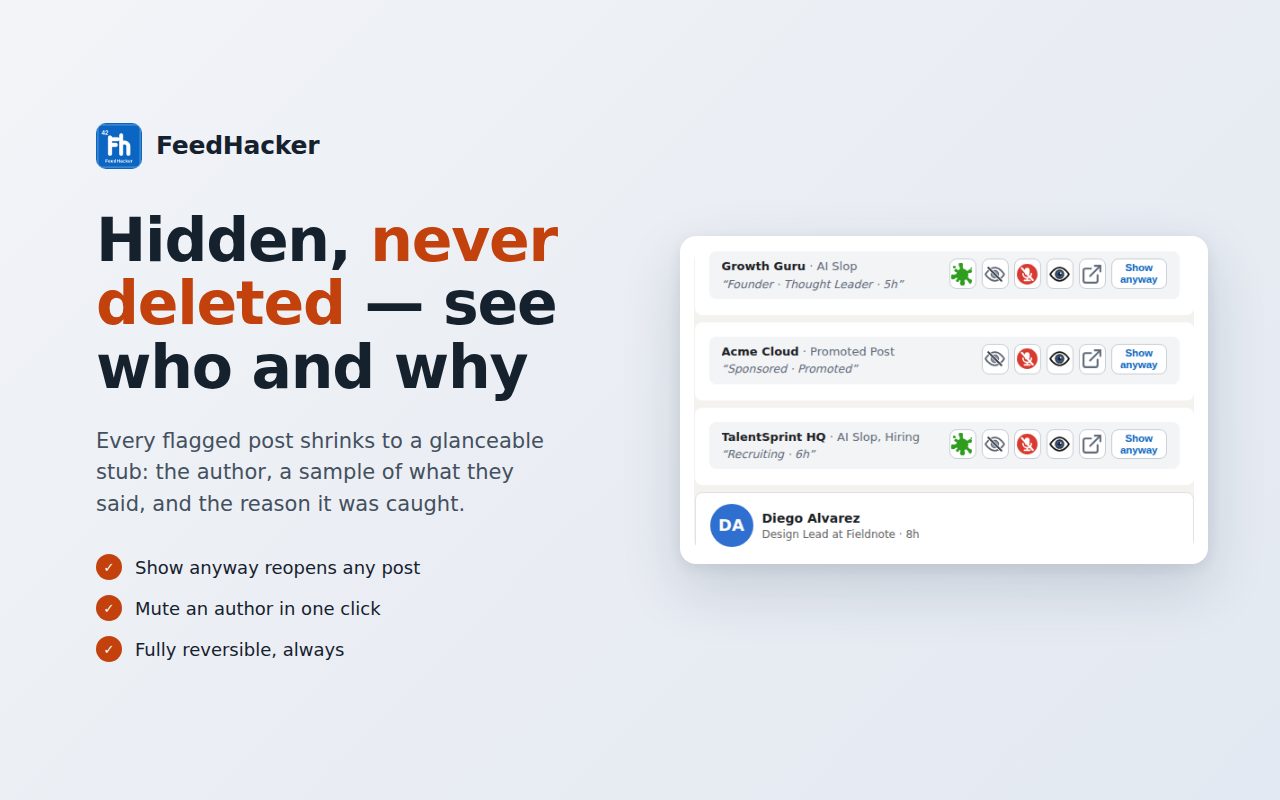
As the feed loads, it checks each post and comment. Anything that matches a filter folds down to a small grey stub that says why it was hidden, with a "Show anyway" button.
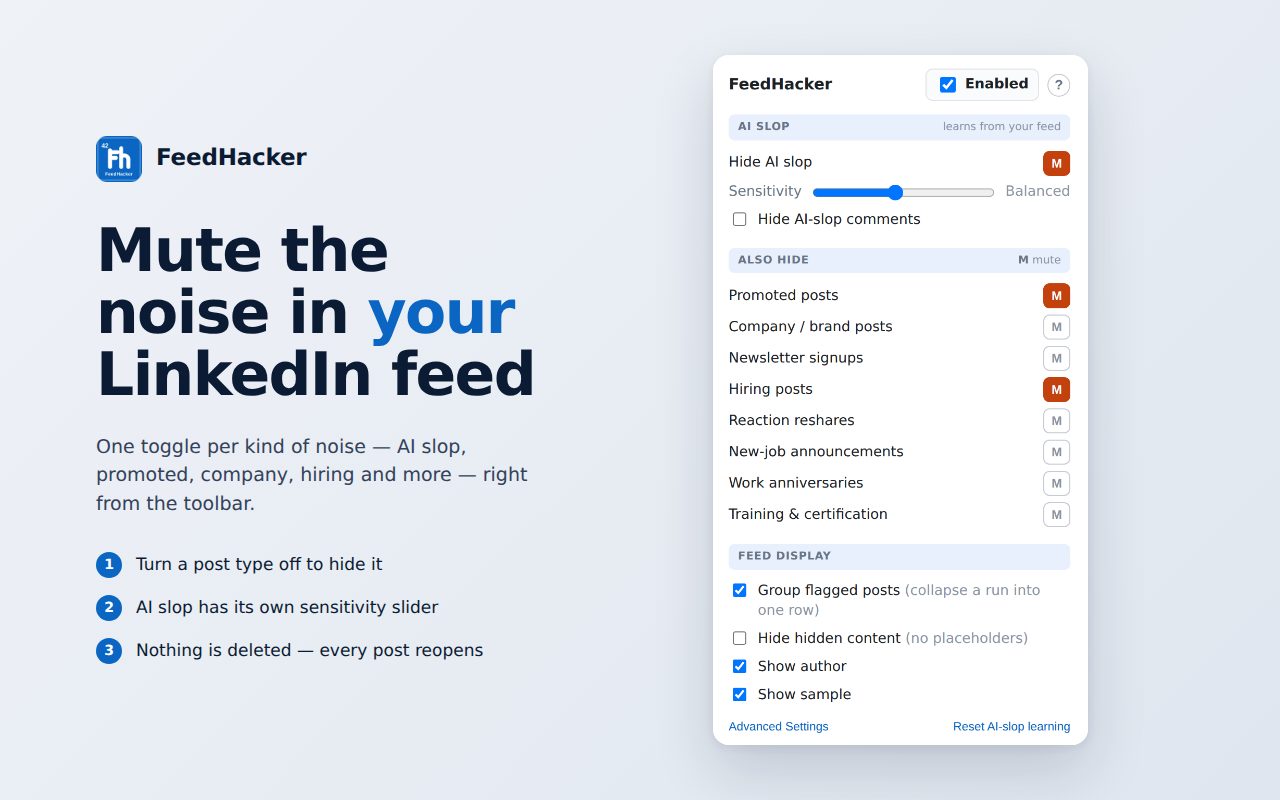
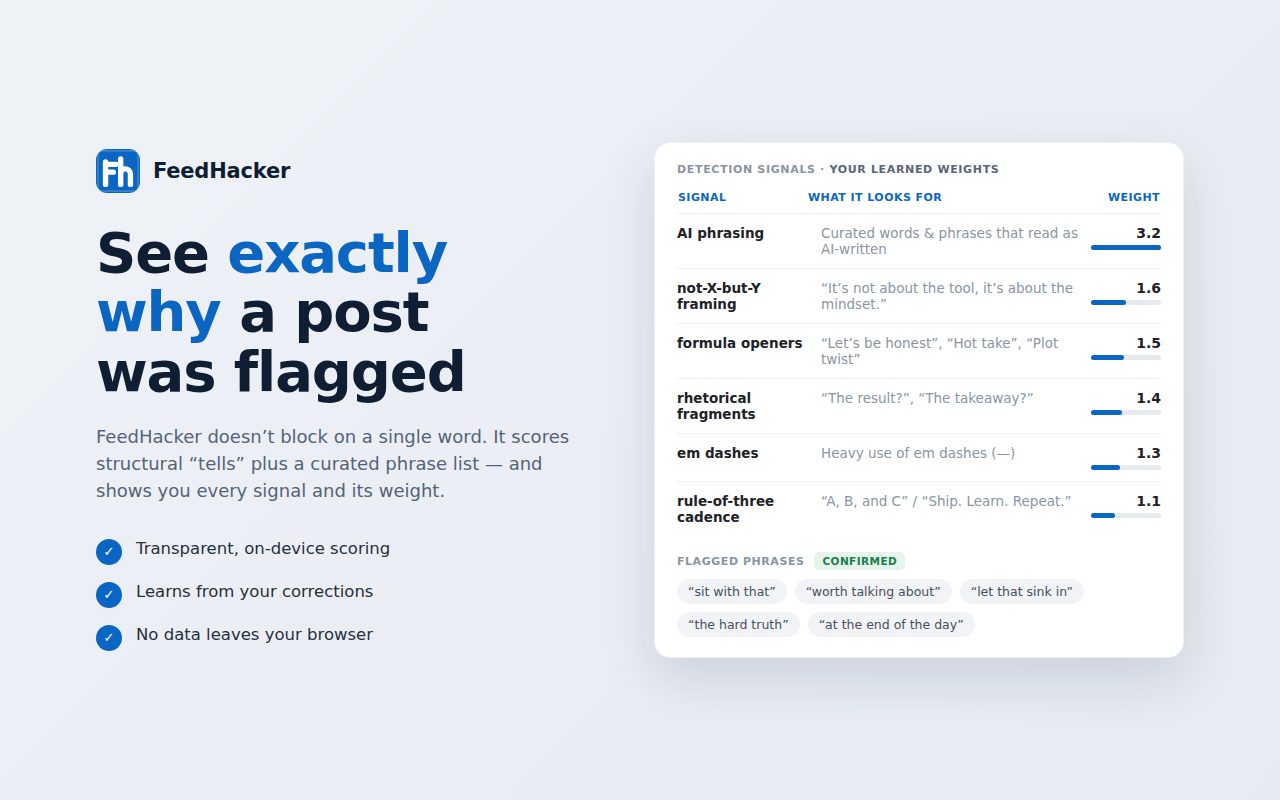
There are filters for AI-written posts, promoted posts, hiring posts, newsletter sign-up pitches, engagement-bait reshares and more, each with its own mute switch. The AI filter scores each post on several signs of machine writing, like stock openers, certain dash habits, things grouped in threes and one-thought-per-line layout. My list of AI phrases is one signal among them. I set which filters are on and how sensitive the AI filter is. When I click "Show anyway," it learns it got that one wrong, and over time it tunes itself to my feed.
What had to be handled carefully
- Hide, never delete. A flagged post folds to a stub instead of vanishing, and one click brings it back. Every stub shows the rule it broke, and I can turn on the author and a sample line to judge a borderline call without opening the post.
- Judge the writing, not one word. The AI filter adds up several signals before it hides anything, and it learns from the posts I bring back.
- Keep it in the browser. The scoring and the learning run on my own computer. Nothing is sent to any server, it runs only on LinkedIn, and the only permission it asks for is storage.
- Keep up with LinkedIn. LinkedIn rebuilds its page code constantly. In October it moved the feed to a new address, and FeedHacker stopped hiding anything. I tracked down the cause and wrote a fix. Jason shipped a broader version that handles whatever LinkedIn names the feed next and warns if it moves again.
The value
With FeedHacker on, LinkedIn is actually usable, and the difference is stark. Instead of wading through spam, I see the best posts: people's own ideas and conversations. It's how I find like-minded people to learn from and collaborate with, and how I keep in touch with colleagues instead of losing them under the noise.